Check if Refresh is Successful
We've recently noticed reports about LiveContainer(+SideStore) expiring even after timely refreshes. Although this falls outside LiveContainer's scope, This guide is here to help you check if the refresh is actually acknowledged by iOS using StikDebug's "App Expiry" tool, and how to fix it if possible.
Preliminary
Two factors contribute to a valid app on iOS: certificates and provisioning profiles.
When sideloading using a free developer account, Apple issues certificates valid for 365 days, but provisioning profiles for only 7 days, which is the reason why apps sideloaded by free developer accounts need to be refreshed every 7 days.
A provisioning profile contains the device's UDID that it can be installed on and, most importantly, all entitlements an app is allowed to have.
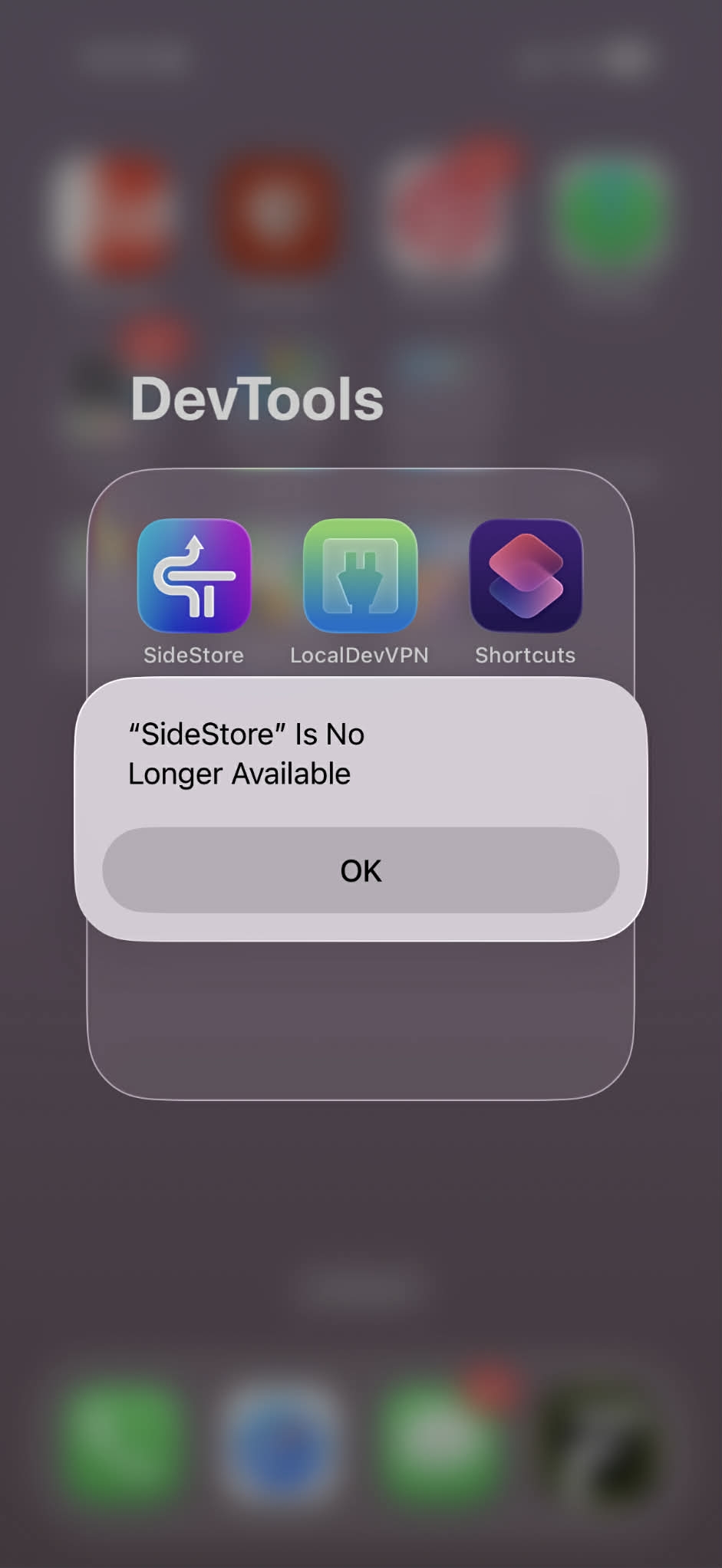
Every time you launch an app, iOS checks for a valid provisioning profile—one that is not expired and contains all entitlements the app needs. If either condition is not met, iOS throws a "<App Name> Is No Longer Available" error, meaning the app has expired.
Starting from SideStore 0.6.0 and AltStore 2.2.0, refreshes are performed by installing a new provisioning profile.
How to Check
- Refresh your apps first
- Install StikDebug 3.0.1+ on your device in whatever way you like (SideStore, LiveContainer etc.)
- Setup StikDebug following StikDebug's official guide
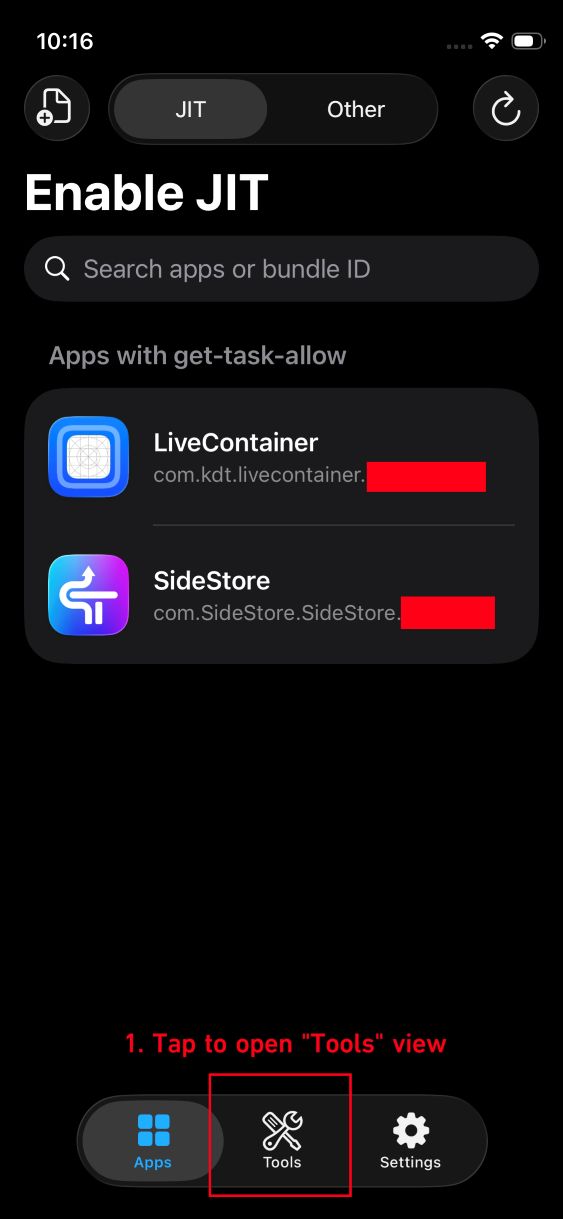
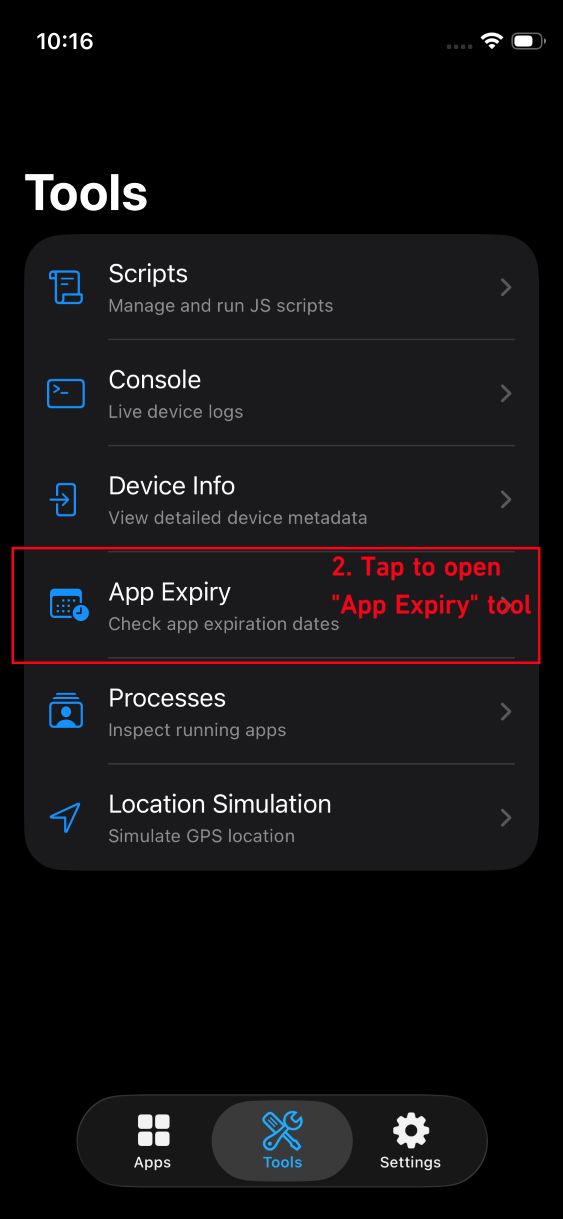
- Instead of enabling JIT, tap "Tools" -> "App Expiry"
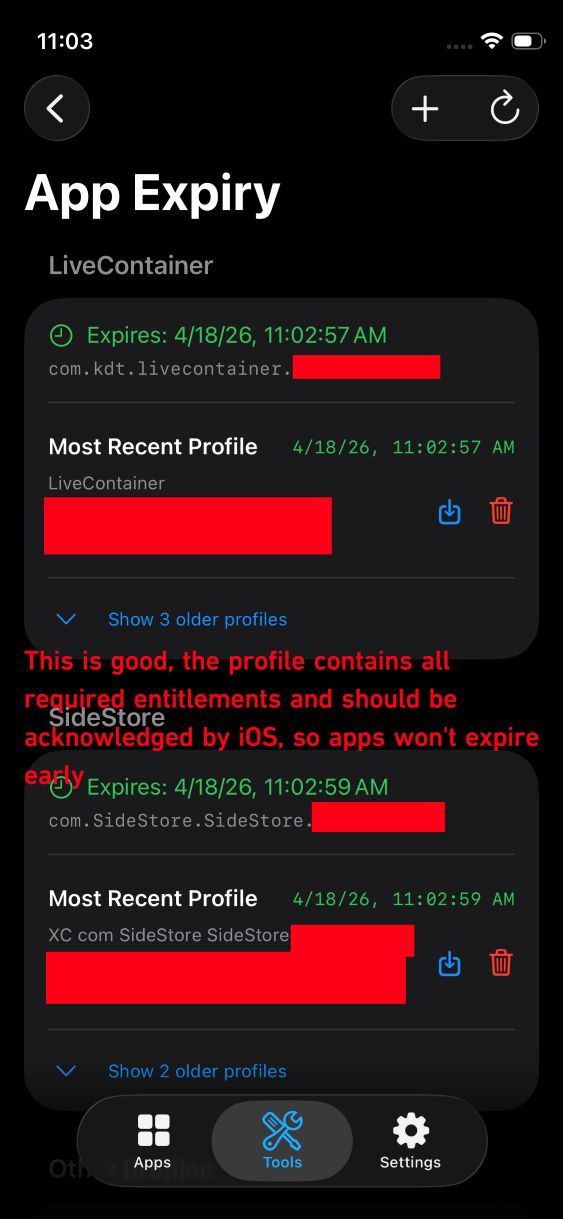
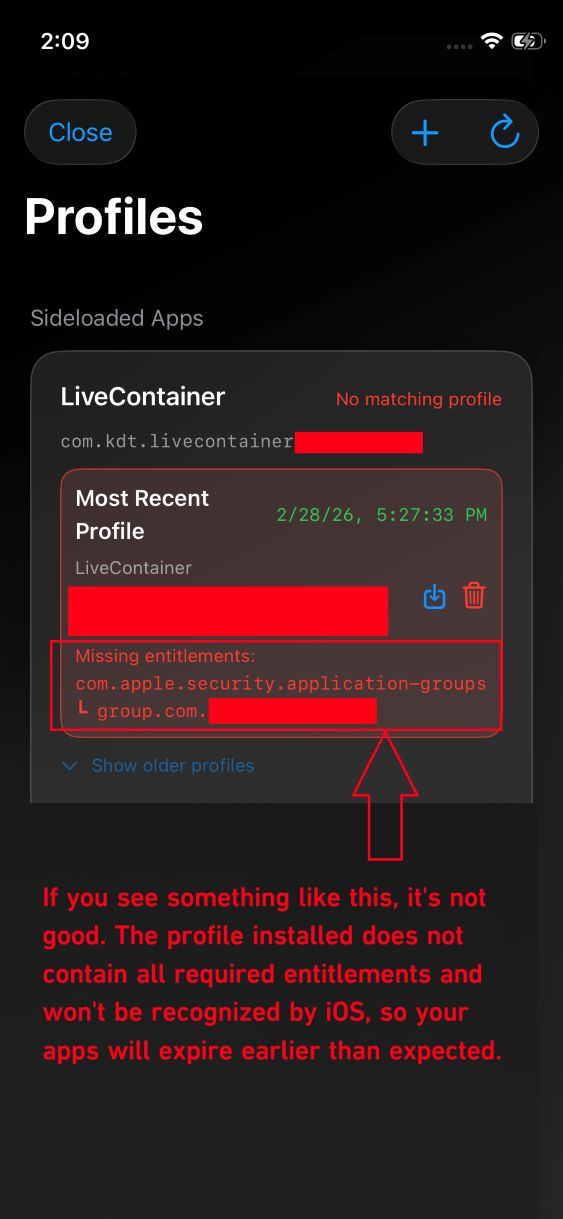
- Check the expiration dates of your installed apps. The color of the expiration date text indicates how much time remains before expiration. Most importantly, verify that the most recent profile for each app contains all required entitlements.
- If you see "Missing Entitlements" in the most recent profile, the profile installed during the refresh is invalid and your apps will expire sooner than expected.
How to Fix
This issue is usually caused by a mismatch between the entitlements in SideStore's database and what the app actually requires. To fix this, reinstall the app's IPA in SideStore to refresh the entitlements in SideStore's database, then check StikDebug again to verify if the profile is now valid.